Security and User Configuration
There are three different places or levels where user security can be configured for an API report.
HTTP Referrer Level
The first place is the HTTP Referrer level which is set up in the MAPS Config application. Here you can enter the default user name and password to be used for each HTTP Referrer. When setting up an LDAP user for authentication, the password is required. Otherwise, for a MAPS user, the password is not required.
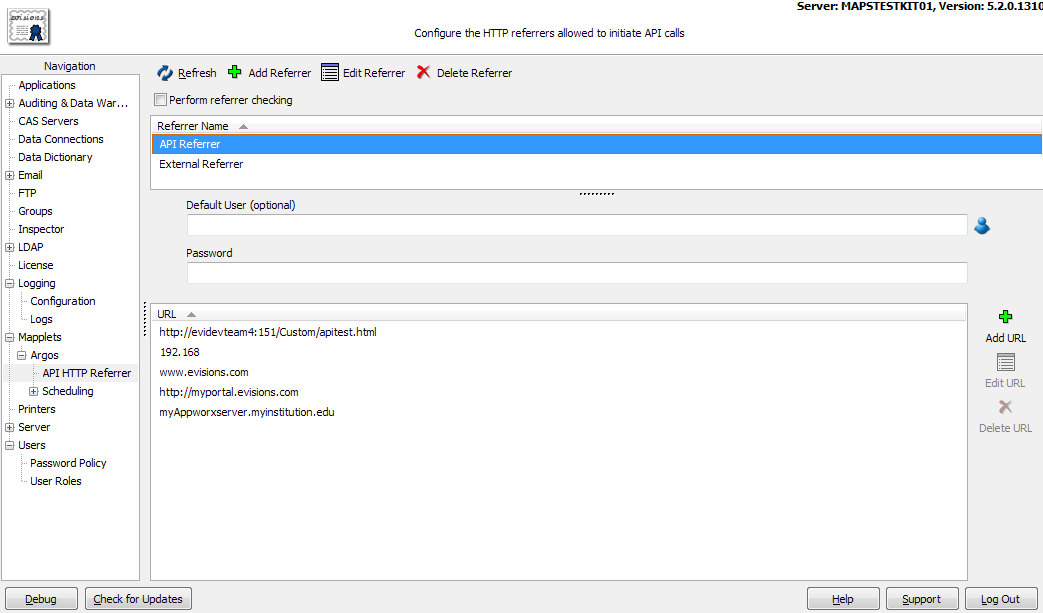
Note: When the API is run in interactive mode, the HTTP referrer is actually the client PC. MAPS does not check the HTTP referrers for interactive mode API calls, since checking them would require that all users' PCs be added to the list of approved HTTP referrers. However, IP restrictions are still checked for all API modes.
Report Level
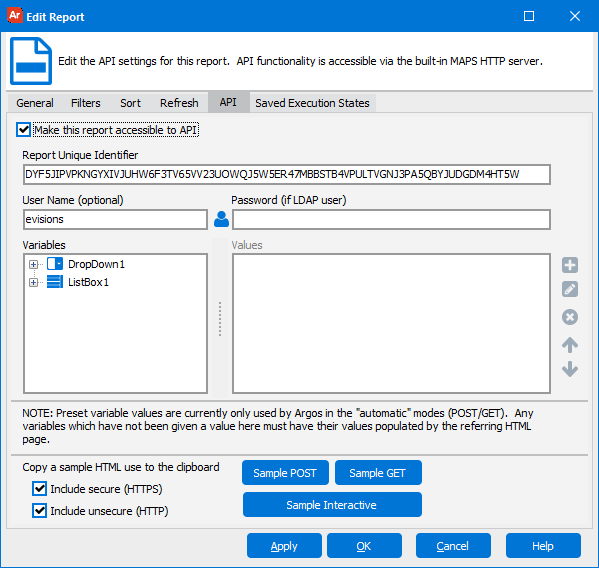
The report level user security is configured on the API tab when editing an Argos report. When setting up an LDAP user for authentication at the report level, the password is required. Otherwise, a MAPS user can be entered in the API settings of a report without a password.
URL Level
Lastly, the URL link level is configured in the html page design. (See Example 5).
A user can authenticate at the report and URL link level with no HTTP Referrer level authentication configured.
- API report level authentication will override the HTTP Referrer level authentication.
- A URL level authentication will override both HTTP Referrer and report level authentication for an API report.